计算机类二级VB

二级VB上机题库21

10 题含答案VB
共 10 题返回本类
2材料分析题2 / 10
  
查看答案
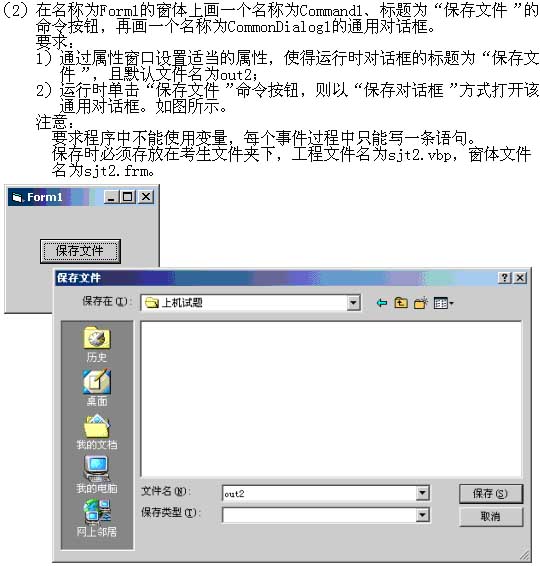
Private Sub Command1_Click()
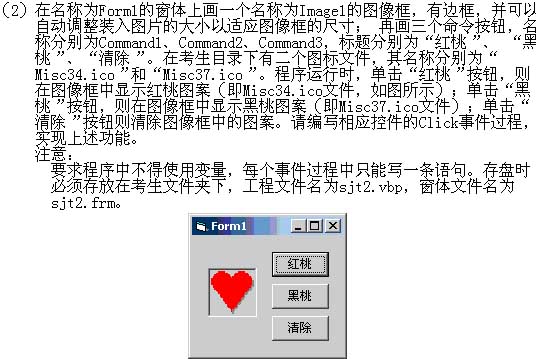
    Image1.Picture = LoadPicture(App.Path & "\Misc34.ico")
End Sub
Private Sub Command2_Click()
    Image1.Picture = LoadPicture(App.Path & "\Misc37.ico")
End Sub
Private Sub Command3_Click()
    Image1.Picture = LoadPicture()
'或    Image1.Picture = LoadPicture
'或    Image1.Picture = LoadPicture("")
End Sub
3材料分析题3 / 10
   
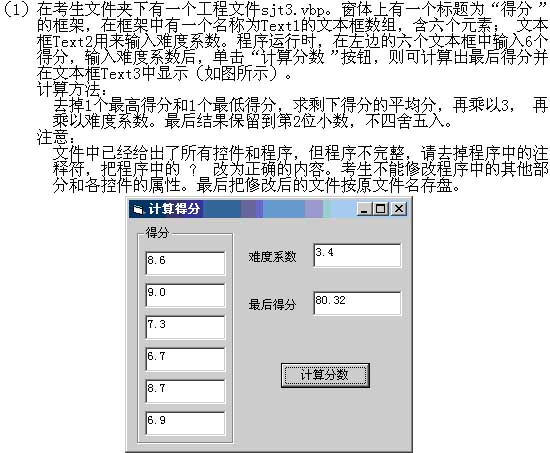
Private Sub Command1_Click()
    Dim k As Integer, s As Single, a As Single, b As Single
    a = Val(Text1(0).Text)
    s = a
    b = a
'    For k = 1 To ?
        s = s + Val(Text1(k).Text)
'        If ? < Val(Text1(k).Text) Then
            a = Val(Text1(k).Text)
        End If
        If b > Val(Text1(k).Text) Then
            b = Val(Text1(k).Text)
        End If
    Next k
'    s = (s - a - b) / ?
'    s = ? * 3 * Val(Text2.Text)
'    ? = Int(s * 100) / 100
End Sub
查看答案
Private Sub Command1_Click()
    Dim k As Integer, s As Single, a As Single, b As Single
    a = Val(Text1(0).Text)
    s = a
    b = a
    For k = 1 To 5
        s = s + Val(Text1(k).Text)
        If a < Val(Text1(k).Text) Then
            a = Val(Text1(k).Text)
        End If
        If b > Val(Text1(k).Text) Then
            b = Val(Text1(k).Text)
        End If
    Next k
    s = (s - a - b) / 4
    s = s * 3 * Val(Text2.Text)
    Text3 = Int(s * 100) / 100
End Sub
4材料分析题4 / 10
   
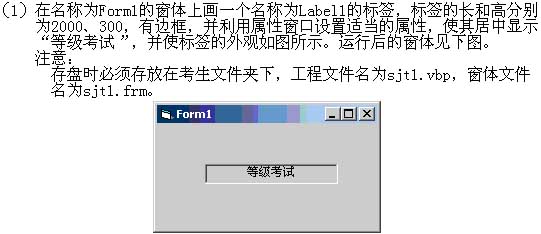
Dim n As Integer
'需考生编写的程序
==============================
  ???
==============================
Private Sub Command2_Click()
    Open App.Path + "\out4.dat" For Output As #1
    Print #1, n, Option1.Value, Option2.Value, Text1
    Close #1
End Sub
Private Sub m10_Click()
    n = 10
End Sub
Private Sub m2000_Click()
    n = 2000
End Sub
Private Sub m12_Click()
    n = 12
End Sub
Private Sub m1000_Click()
    n = 1000
End Sub
Private Sub Option1_Click()
    n = 0
    m1000.Enabled = False
    m2000.Enabled = False
    m10.Enabled = True
    m12.Enabled = True
End Sub
Private Sub Option2_Click()
    n = 0
    m10.Enabled = False
    m12.Enabled = False
    m1000.Enabled = True
    m2000.Enabled = True
End Sub
查看答案
Private Sub Command1_Click()
    If Option1.Value = True Then
        s = 1
        For k = 1 To n
            s = s * k
        Next
    End If
    If Option2.Value = True Then
        s = 0
        For k = 1 To n
            s = s + k
        Next
    End If
    Text1 = s
End Sub
5材料分析题5 / 10
   
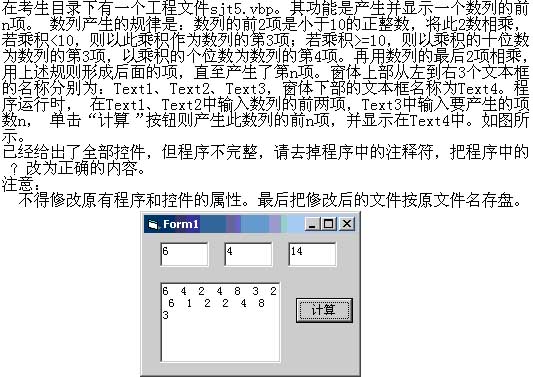
Private Sub Command1_Click()
    Text4 = ""
    a = Val(Text1)
    b = Val(Text2)
    n = Val(Text3)
'    Text4 = Text4 & a & "  " & ?
    k = 2
    Do While k < n
        c = a * b
        k = k + 1
        k = k + 1
        If c < 10 Then
            Text4 = Text4 & "  " & c
'            a = ?
            b = c
        Else
            d = c \ 10
            Text4 = Text4 & "  " & d
            a = d
            k = k + 1
'            If k <= ? Then
                d = c Mod 10
                Text4 = Text4 & "  " & d
'                ? = d
            End If
        End If
    Loop
End Sub
查看答案
'答案
'b 或 Val(Text2)  或 Text2  或 Val(Text2.Text) 或 Text2.Text
'b
'n 或 Val(Text3)  或 Text3  或 Val(Text3.Text) 或 Text3.Text
'b
8材料分析题8 / 10
   
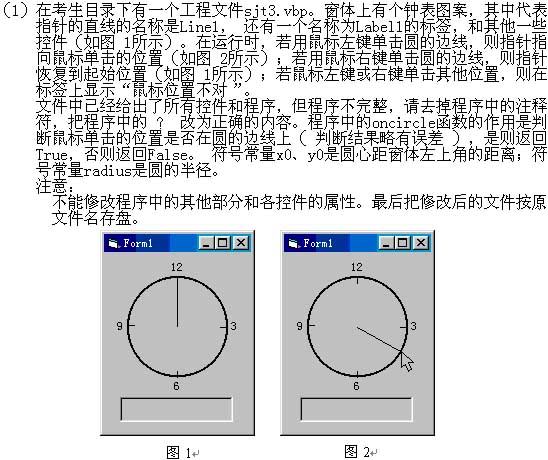
Private Sub Form_MouseDown(Button As Integer, Shift As Integer, X As Single, Y As Single)
    Const LEFT_BUTTON = 1
    If oncircle(X, Y) Then
        Line1.X1 = x0
        Line1.Y1 = y0
        If Button = LEFT_BUTTON Then
            Line1.X2 = X
'            Line1.Y2 = ?
        Else
'            Line1.X2 = Line1.?
'            Line1.Y2 = y0 - ?
        End If
        Label1.Caption = ""
    Else
'        ? = "鼠标位置不对"
    End If
End Sub
查看答案
'答案
'Y
'X1
'radius  或 750
'Label1.Caption  或 Label1 或 Form1.Label1.Caption  或 Form1.Label1
9材料分析题9 / 10
   
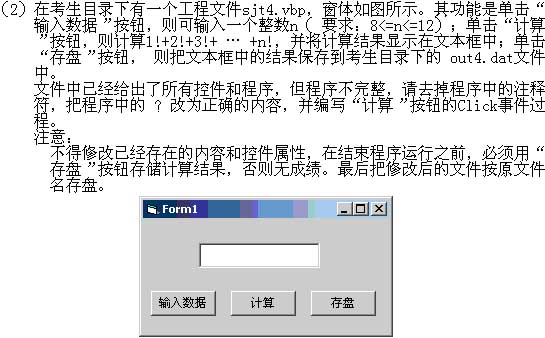
Private Sub Command1_Click()
    n = Val(InputBox("请输入整数(8-12)", "输入"))
'    If n > ? Or n < 8 Then
        MsgBox ("数据错误,请重新输入")
        Command2.Enabled = False
        Command3.Enabled = False
    Else
        Command2.Enabled = True
        Command3.Enabled = True
    End If
End Sub
Private Sub Command2_Click()
    Dim s As Long, k As Integer
    s = 0
    For k = 1 To n
        s = s + f(k)
    Next
    Text1 = s
End Sub
Function f(n As Integer) As Long
'    s = ?
    For k = 2 To n
        s = s * k
    Next
'    f = ?
End Function
Private Sub Command3_Click()
    Open App.Path & "\out4.dat" For Output As #1
    Print #1, n, Text1
    Close #1
End Sub
查看答案
    If n > 12 Or n < 8 Then
    s = 1
    f = s
10材料分析题10 / 10
   
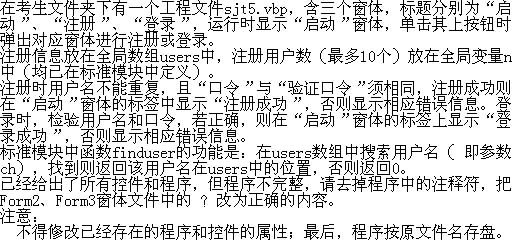
Form1(code)
Private Sub Command1_Click()
    Form2.Text1 = ""
    Form2.Text2 = ""
    Form2.Text3 = ""
    Label1.Caption = ""
    Form2.Show
End Sub
Private Sub Command2_Click()
    Form3.Text2 = ""
    Label1.Caption = ""
    Form3.Show
End Sub
Form2(code)
Private Sub Command1_Click()
    Text1 = ""
    Text2 = ""
    Text3 = ""
End Sub
Sub writeusers()
'    n = n + ?
    users(n, 1) = Text1
    users(n, 2) = Text2
End Sub
Private Sub Command2_Click()
    If Text1 = "" Then
        MsgBox ("必须输入用户名!")
        Text1.SetFocus
'    ElseIf finduser(Trim$(Text1)) > ? Then
        MsgBox ("此用户名已经存在!")
    ElseIf Text2 <> Text3 Then
        MsgBox ("口令验证错误!")
    Else
        writeusers
'      ?  = "注册成功!"
        Form2.Hide
    End If
End Sub
Form3(code)
Private Sub Command1_Click()
    k = finduser(Trim$(Text1))
'    If k = ? Then
        MsgBox ("没有注册!")
'    ElseIf Trim$(Text2) <> users( ? ) Then
        MsgBox ("口令错误!")
    Else
        Form1.Label1.Caption = "登录成功!"
        Form3.Hide
    End If
End Sub
查看答案

'1
'Text2  或 Form2.Text2  或 Text2.Text  或 Form2.Text2.Text
'0
'Form1.Label1.Caption
'0
'k, 2
← 上一卷下一卷 →